How to Build a Booking System Without Code
August 8, 2026PUBLISHED INAi Development
 ali
ali 2026-08-08 12:49:00
 0
0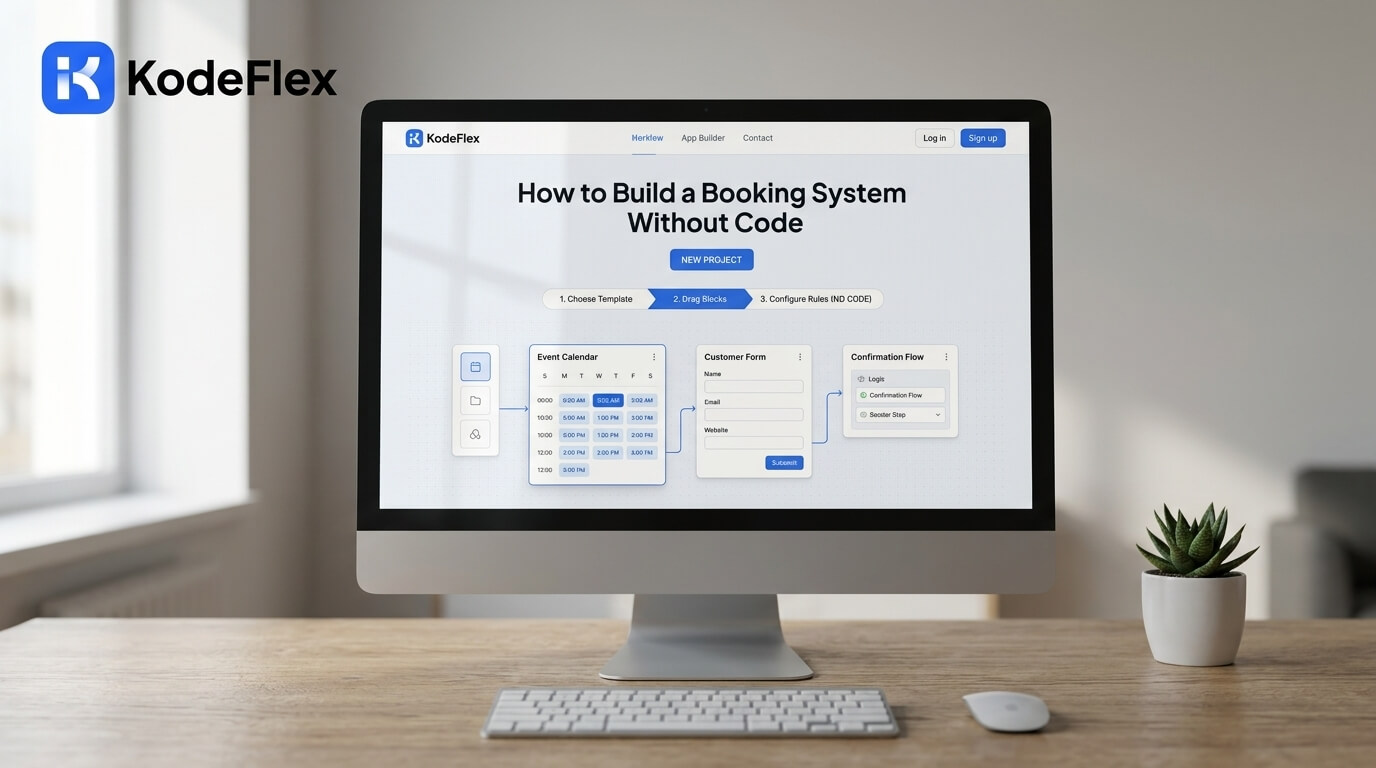
Booking systems show up in more places than people usually think, conference room scheduling, equipment checkout, shared vehicle reservations, appointment slots for internal services. Most of these get handled through a shared calendar or a spreadsheet for far longer than they should, mostly because a dedicated booking tool feels like overkill for something this specific. Building your own fixes that without adding another SaaS subscription to the pile.
Here's how to actually put one together, and the details that tend to get overlooked.
Step 1: Define What's Being Booked and the Rules Around It
Start with the basics: what resource is being booked (a room, a piece of equipment, a time slot with a person), how long a typical booking lasts, and whether double-bookings need to be blocked entirely or just flagged. This last part matters more than it sounds, some resources genuinely can't be double-booked (a single conference room), while others might allow it with a warning (a shared tool with multiple units).
Step 2: Generate the Booking Flow From a Description
Describe the system to KodeFlex in plain language, something like "a booking system for conference rooms where employees pick a room, date, and time slot, and can't book a room that's already reserved." The platform generates a working structure: a booking form, a calendar or availability view, and conflict logic, built on the workflow engine so double-booking rules are actually enforced, not just suggested.
Step 3: Add Approval Logic if Bookings Need Sign-Off
Not every booking system needs approval, a conference room usually doesn't, but some resources do, expensive equipment, a shared vehicle, a meeting with a specific person's calendar. If that's the case, add an approval step so a request goes to the right person before it's confirmed, rather than being instantly booked. This is configured visually on the canvas, no separate approval tool required.
Step 4: Handle Cancellations and Changes
Decide how someone cancels or changes an existing booking, and make sure that flow is just as easy to find as the booking flow itself. Booking systems that make it hard to cancel tend to end up with a calendar full of stale reservations nobody actually needs anymore, which defeats the purpose of tracking availability accurately in the first place.
Step 5: Test for Conflicts Before Rolling It Out
Try to double-book the same resource at the same time as a test, on purpose, and confirm the system actually blocks or flags it the way you intended. This is the single most common failure point in self-built booking tools: the happy path works fine, but the conflict-handling logic wasn't tested until real users hit it.
Step 6: Publish and Keep It Updated
Once tested, publish the system and treat it as something that'll need small adjustments as usage patterns become clear, maybe booking slots need to shrink from an hour to thirty minutes, or a new resource needs adding. Use instance management to test changes on a staging version before they hit the live system people are actively booking through.
Where a Custom Booking System Fits vs Dedicated Software
This approach works well for internal resource booking, rooms, equipment, internal appointment slots, where the logic is fairly contained. It's a weaker fit for public-facing, high-volume booking with payment processing built in, restaurant reservations or class scheduling with online payment, where dedicated booking platforms have already solved a lot of the edge cases around no-shows, refunds, and payment handling.
Frequently Asked Questions
Can the system prevent double-booking automatically?
Yes, conflict detection is built into the workflow logic, so overlapping bookings for the same resource can be blocked or flagged based on the rules you set.
Can different resources have different booking rules?
Yes, for example, a conference room might not need approval while a company vehicle does. These rules are configured per resource type.
How long does it take to build a basic booking system this way?
Most teams have a testable draft within the same session, with conflict logic and approval steps added shortly after depending on complexity.
Can this handle recurring bookings?
Recurring booking patterns can be built into the workflow, though the specific setup depends on how regularly the booking repeats and whether exceptions need to be handled.
Is this suitable for customer-facing bookings with payments?
For simple cases, possibly, but high-volume public bookings with payment processing are usually better served by dedicated booking platforms built specifically for that.
Want help mapping your team's actual booking rules into a working system?
Request a demo and walk through it together.
Related Blogs
How to Build a Customer Portal Without Code