No Code Integration: Connect Apps Without Code
6 days agoPUBLISHED INAi Development
 ali
ali 2026-09-17 15:22:00
 0
0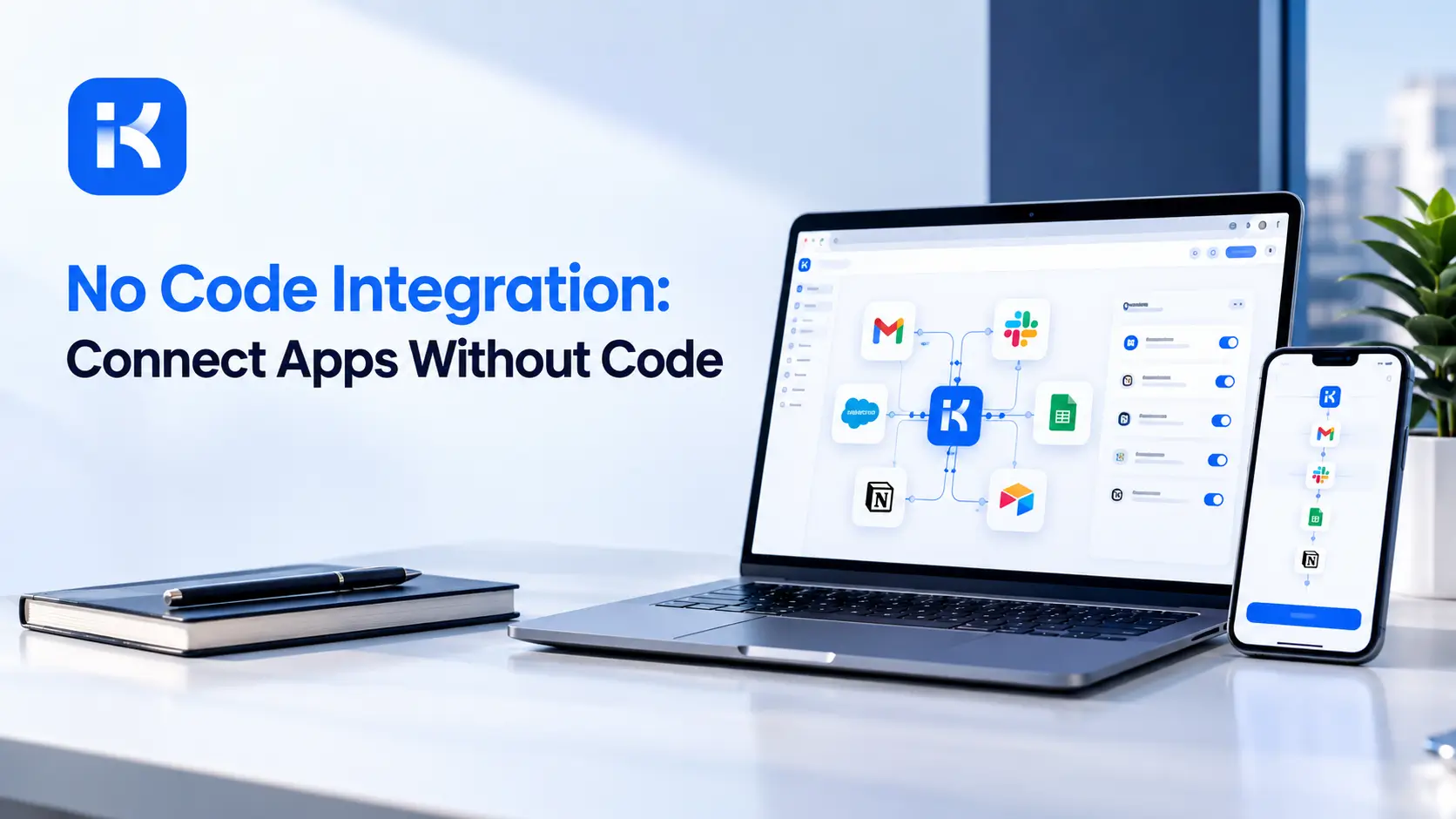
No code integration lets two or more apps share data and trigger actions in each other automatically, without anyone on your team writing a line of code or calling a developer. A new record in one system creates a matching one in another. A status change in one tool notifies a channel in a completely different one. All of it happens through a visual interface instead of custom scripts.
How Does This Actually Work Behind the Scenes?
This kind of tool connects separate applications through a visual builder, so data and actions flow between them automatically based on rules you set up once.
How It Actually Works Behind the Scenes
-
You pick a trigger app and the specific event that starts things, like a new form submission
-
You pick an action app and what should happen there, like creating a new row or sending a message
-
The platform handles the technical connection between the two systems, including authentication and data formatting, so you never touch an API directly
Which No Code Integration Tools Are Worth Using in 2026?
Three platforms dominate this category, and each fits a different kind of team and budget.
-
Zapier: the most beginner friendly option, with over seven thousand app integrations, starting around $19.99 monthly for a basic plan covering 750 tasks
-
Make: a more visual, flowchart style builder with roughly fifteen hundred integrations, starting around $9 monthly, generally cheaper than Zapier at similar usage
-
n8n: built for technical teams, open source and self hostable, starting around $20 monthly on its cloud plan or free if you host it yourself, with the deepest customization of the three
How to Pick Between Them
-
Non technical team, mainstream apps, want it working within the hour? Zapier is the safest starting point
-
Comfortable with a slightly steeper learning curve in exchange for lower cost at scale? Make is worth a serious look
-
Have someone technical on the team, or handling sensitive data that shouldn’t sit on someone else’s cloud? Self hosted n8n is usually the right call
What Can You Actually Automate This Way?
This approach handles an enormous range of everyday busywork, though it’s genuinely built for repetitive, rule based tasks rather than judgment calls.
-
Syncing new leads from a web form directly into your CRM
-
Posting a Slack notification the moment a high priority support ticket comes in
-
Creating a calendar event automatically when a meeting is booked through a scheduling tool
-
Updating a spreadsheet every time a new order comes through your store
-
Sending a follow up email a set number of days after someone signs up
Where Does This Approach Stop Being Enough?
Connecting existing apps is a different job from building a real application with its own database, user roles, and internal workflow logic. Once your needs cross that line, an integration tool alone stops being sufficient.
A few signs you’ve outgrown simple integration:
-
You’re gluing together five or six different tools just to run one internal process, and it’s become fragile
-
You need users to log in and see their own personal data, not just trigger a notification
-
Your workflow needs real approval steps with permissions, not just a one way trigger between two apps
-
You’re paying more in integration tool fees each month than a dedicated internal app would cost
This is usually where a proper visual workflow builder becomes the better fit, since it manages the entire process inside one system with a real database behind it, rather than stitching several separate tools together through triggers.
How Much Does This Actually Cost at Scale?
Pricing models differ enough between platforms that the cheapest option at low volume isn’t always the cheapest once you’re running real usage through it.
-
Zapier bills per task, where every single action in a workflow counts, so a long multi step workflow can get expensive fast at volume
-
Make bills per operation too, but tends to run noticeably cheaper than Zapier for similar workloads
-
n8n bills per execution rather than per task, so a twenty step workflow costs the same as a two step one, which changes the math significantly at scale
A rough rule worth remembering: once a Zapier bill climbs past $200 monthly, it’s usually worth comparing what the same workload would cost on Make or a self hosted n8n setup instead.
What Should You Check Before Committing to a Platform?
A short trial before you build anything real saves real frustration once dozens of workflows depend on the connection.
Questions Worth Answering First
-
How does the platform bill at your actual expected volume, per task, per operation, or per execution, since that changes the math significantly
-
What happens when a connected app changes its API or briefly goes down, does the workflow retry automatically or fail silently
-
Can you see a clear log of what happened at each step when something goes wrong, or are you left guessing
-
Is there a free tier generous enough to actually test your real use case before paying anything
A small agency running client reporting workflows through one of these tools often discovers the real cost only after a busy month pushes them past their plan’s task limit unexpectedly. Testing with realistic volume, not just a handful of sample runs, avoids that surprise.
How Does This Compare to Building Custom Integrations?
Before these tools existed, connecting two systems usually meant a developer writing custom code against each app’s API directly.
-
Custom code offers the most flexibility but takes real development time and ongoing maintenance as APIs change
-
Visual integration tools trade a bit of flexibility for speed, usually getting a working connection live in minutes rather than days
-
For most common business tools, mainstream platforms like Salesforce, Slack, and Gmail, the visual tools cover the need completely without any custom code at all
-
Custom code still wins for unusual, internal, or poorly documented systems that visual tools simply don’t support out of the box
Frequently Asked Questions
Is this approach secure enough for sensitive business data?
Reputable platforms use proper encryption and authentication, but self hosted options like n8n give you more direct control if compliance requirements demand it.
Can I connect apps that don’t have an official integration listed?
Often yes, through a generic webhook or API connector, though it typically takes more setup effort than a native, ready made integration.
How long does it take to set up a basic integration?
Most simple two app connections take fifteen minutes or less once you know which trigger and action you actually need.
What’s the difference between no code integration and a full workflow builder?
Integration tools connect existing apps and trigger single actions between them. A workflow builder manages an entire multi step process, often with its own database and approval logic, inside one system.
Do I need a developer to maintain these integrations long term?
Usually not for straightforward connections, though complex, multi step workflows sometimes benefit from someone technical reviewing them periodically.
If your process has outgrown simple app to app triggers and needs real forms, data, and approval logic in one place, see how KodeFlex generates that starting point from a plain language description, or request a demo to see it built around your workflow.
Related Blogs
Visual Workflow Automation: What It Is and How To Build One